

ACE Coach: the real-time voice coach for Assetto Corsa EVO, with telemetry analysis
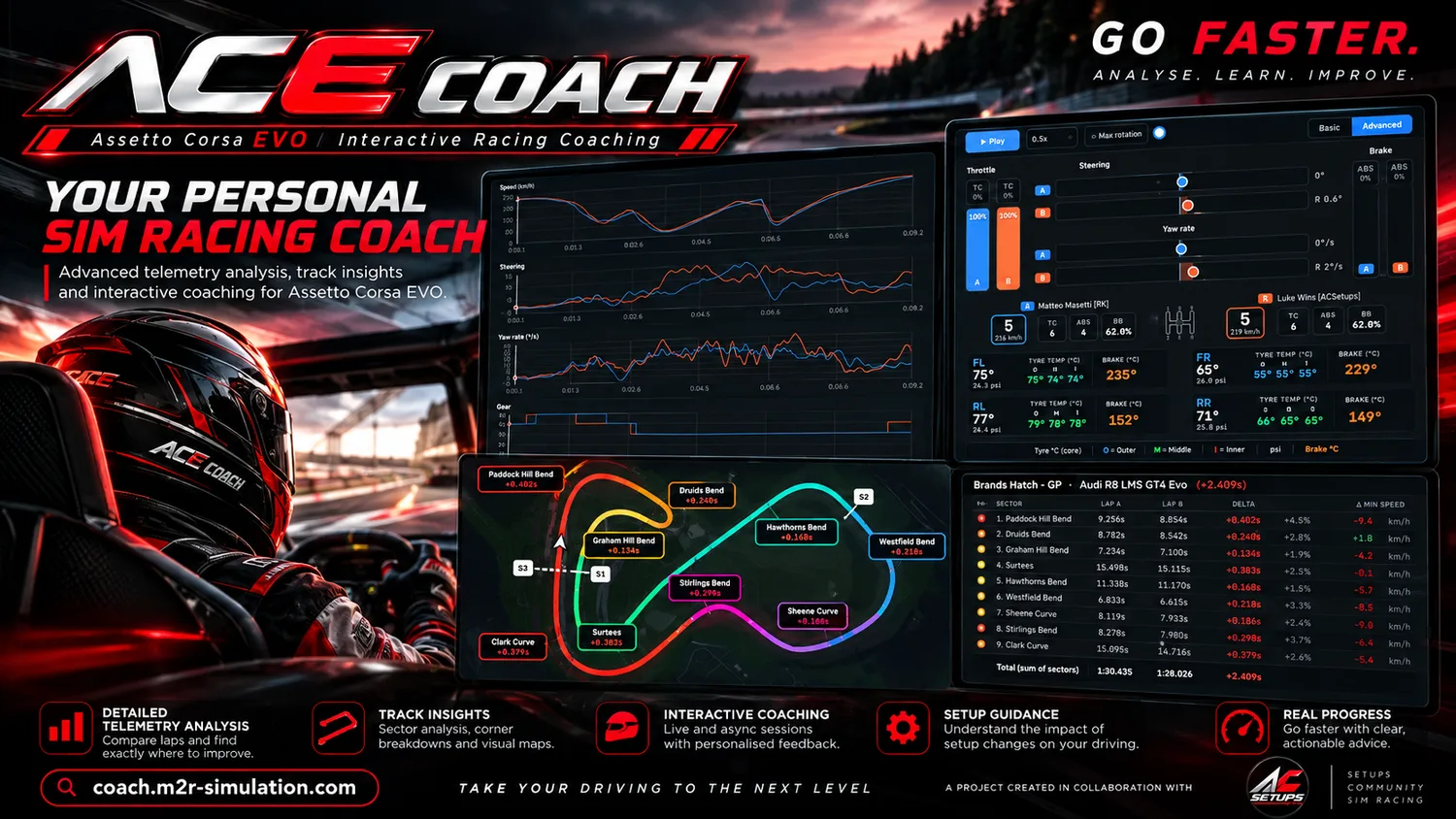
A coach in your headset. ACE Coach records every lap you drive, compares it with faster drivers and, while you race, tells you by voice what to change before each corner, in your language. It also shows exactly where you lose time on the website.
ACE Coach is available to M2R Patreon members. You log in with your Patreon account.
Voice coach
Spoken advice before every corner, in your language: braking point, speed, turn-in, throttle, line, brake pressure, gears. Then a sound and a word after the corner. Also written on a compact overlay.
Learn more →Analyse
Compare any two laps channel by channel: speed, throttle, brake with ABS, steering, yaw rate, gears, traction control, tyre and brake temperatures, on a track map split into microsectors.
Learn more →Compete
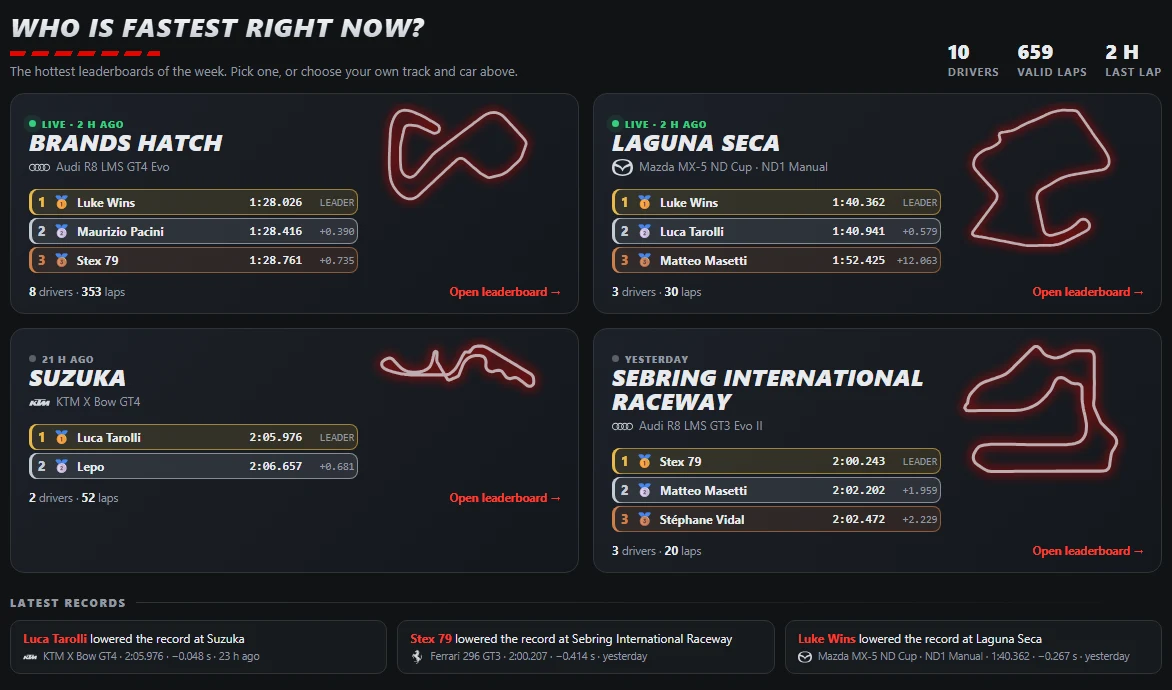
Race-style leaderboards for every track and car, with the gap to the driver ahead of you and the latest records.
Learn more →Pedals, steering, gears and tyres: lap against lap

Move through any corner and see two laps side by side: throttle and brake of lap A and lap B, steering and yaw rate, gear and speed and, in the Advanced view, each car with the temperature and pressure of every tyre, the three surface temperatures (outer, middle, inner) and the brake discs. You see what the faster driver does differently, at the exact point where it happens.
A voice that speaks before the corner
ACE Coach finds, in each corner, the one thing that costs you the most time and says it in plain words before you get there: “Next, brake 10 later.” The sentence is timed to end about a second before the braking point, so your eyes stay on the road and the voice never talks over the corner. After the corner, a ding or a buzzer and a word tell you how it went.
Live coaching, corner by corner

ACE Coach puts a compact window on top of the game (you can drag it anywhere; it appears by itself in your sessions and hides outside them). One chart shows the throttle and brake of the reference lap and of yours, with the live gap to the reference, your lap time and your speed.
Before each corner it tells you what to change: brake earlier or later, carry more or less speed, turn in earlier or later, get back on the throttle earlier or later, brake harder or softer, use another gear, change the line at the braking point. The advice is written on the overlay and spoken with the voice of Windows, timed to end about a second before the braking point. After the corner a ding or a buzzer and a word (“Good job”, “Not yet”, “Too much”) tell you how it went.
You choose who you chase: your own best lap, the fastest lap overall or any driver's best lap, for your car and track. Volume and mute are in the title bar.
Compare your lap with a faster driver
Pick a track and a car, then a reference lap (Lap A) and your lap (Lap B). The comparison splits the track into microsectors and shows, for each one, the time gained or lost, the total gap and the difference in minimum speed. A Sector report explains in plain words what to do differently where you are slower.
Click any corner to open the detail: a dynamic map of both lines coloured by braking and throttle, the inputs side by side (steering, yaw rate, speed, tyres, TC and ABS) and the telemetry graphs of the whole corner. The Theoretical Best lap puts together the fastest sectors of your laps, or of every driver.
Leaderboards and records
Every track and car has a race-style leaderboard: podium in gold, silver and bronze, the rest of the field below, air and track temperature, game version and car version, and your own row always in view with the gap to the driver ahead. The start page shows the hottest leaderboards of the week, the latest records and your positions.
How it works
- Log in with Patreon on coach.m2r-simulation.com (M2R Patreon members).
- Download and run the uploader (Windows 10 or 11). It installs itself, starts with Windows and updates itself. The first time, Windows may show a warning because the program is not code-signed yet: choose “More info”, then “Run anyway”.
- Drive in Assetto Corsa EVO. Your laps appear on the website and the coach window appears by itself in your sessions.
Guides to drive faster
Your language
The website speaks English, Italian, French, German, Spanish, Brazilian Portuguese and Dutch. The voice and the text of the overlay follow the language of Windows (English, Italian and French today) or the one you choose from the icon next to the clock. The voice needs the Windows voice of that language to be installed.
Frequently asked questions
Is ACE Coach a real-time voice coach?
Yes. While you drive in Assetto Corsa EVO it speaks a short sentence before each corner and gives a verdict after it. The same advice is written on a compact overlay. It also records your laps for the analysis on the website.
When does the coach speak?
Before each corner, timed to end about a second before the braking point, so it never talks over the corner. After the corner it says a word (“Good job”, “Not yet” or “Too much”) with a ding or a buzzer. Out laps and invalidated laps are never used.
What is ACE Coach?
A telemetry analysis and live coaching tool for Assetto Corsa EVO, made by sim racers. It has a Windows program that records your laps and shows the overlay, and a website with the analysis and the leaderboards.
Who can use it?
ACE Coach is available to M2R Patreon members. You log in with your Patreon account.
Which game and which system does it need?
Assetto Corsa EVO on Windows 10 or 11. It reads the lap data the game makes available and does not change the game.
What does it record?
Your own laps: speed, throttle, brake, steering, gear, tyres, traction control and ABS, position on track, lap time and conditions. Laps are sent to your account after each lap; if you are offline they are kept and sent later.
Why does Windows show a warning when I run it?
The program is small and independent and is not code-signed yet, so Windows SmartScreen warns you the first time. Choose “More info”, then “Run anyway”. The download window of the website shows the SHA-256 fingerprint of the file so that you can check it.
Does it slow the game down?
Very little in our measurements: the coach window uses about half a percent of the processor and the uploader practically nothing.
How does the voice work?
It uses the voice of Windows, in English, Italian or French, following the language of Windows or the one you choose from the icon next to the clock. For Italian or French that Windows voice must be installed (Settings, Time & language, Language & region, add the language, Speech). Without it, the coach speaks English. Volume and mute are in the title bar of the overlay.
How do I report a problem or suggest an idea?
On our Discord server: there are channels for bugs, ideas and help.